|
|
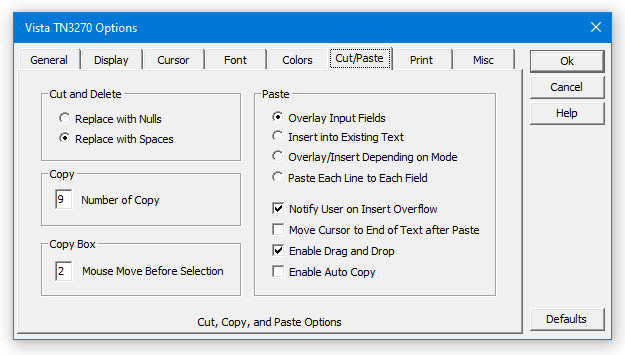
Cut/Paste Options
|
  |
|
Items to Note:
-
Vista supports multiple copy buffers (up to 9). This feature in itself can save you lots of hassle throughout the day. Simply "loop" through the selected number of copy buffers with repeated cntl-V keystrokes until the buffer you want appears on the screen.
-
The standard "Paste" function can be set to Overlay, Insert, or Field-mode pasting.
-
"Mouse Move Before Selection" set at 2 will force the cursor to be moved at least 2 characters before the selection box will be drawn on the screen. This prevents the box from being accidentally drawn when you are just moving the cursor with the mouse.
|
|
|

