Home Page
   
 
Home
Features
Screen Shots
Requirements
Download
Ordering
Support
Notes
Online Help
About Me
 
Other Items
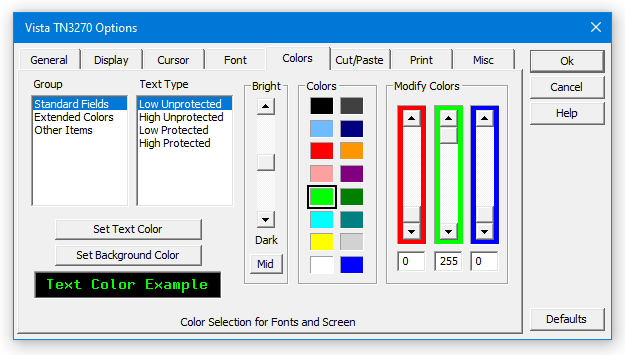
 Color Options
Previous SampleNext Sample

Items to Note:

  • 16 colors can be on the screen at any one time, but for each color you can choose between a palette of 16 million.  Simply drag the sliders to adjust the colors as needed.

  • "Other Items" lets you set colors for things like the screen border and crosshairs.


  Home | Features | Screen Samples | Download | Requirements
Ordering | Tech Support | Notes | Online Help | About Me | Other Items

Page Last Updated 05/27/2023
Contact support@tombrennansoftware.com