|
|
The Toolbar Editor
|
  |
|
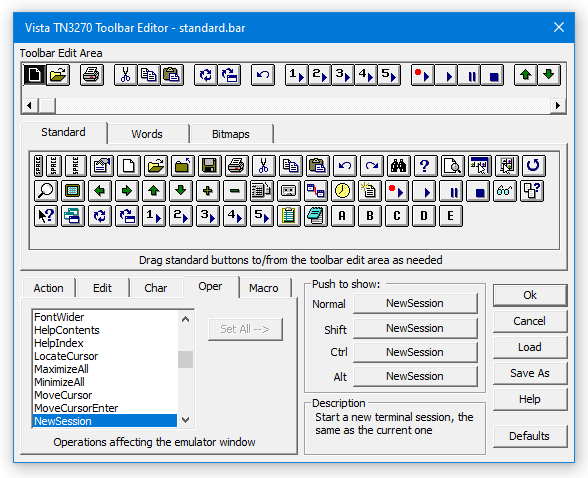
Items to Note:
-
Drag and drop buttons and spaces to the Toolbar Edit Area at the top of the window. Or drag back to remove an item from the edit area, then edit the button to any function, character, or macro as needed. Toolbar buttons can even change their function based on the Shift/Ctrl/Alt keys.
-
Each toolbar button can be set to immediately be sent to the host or to be saved in the type-ahead buffer when the screen is locked.
-
Create your own bitmaps for toolbars using any bitmap editor.
|
|
|

