|
|
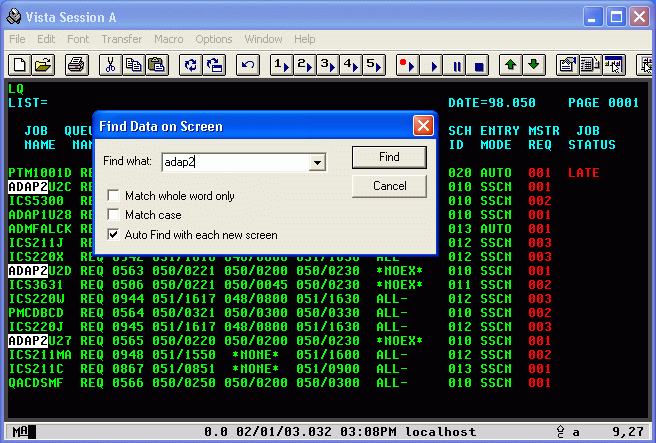
Find Function Example
|
  |
Items to Note:
-
Sometimes it's difficult to find the data you want on complex screens such as shown above. The Find function (default ctrl-F) finds and highlights data on the screen, similar to ISPF browse.
-
The "Auto Find with each new screen" option will keep searching for the same text every time a new screen comes from the host.
|
|
|

